

 About
THE ANSWER
WPM = (correctly typed characters ÷ 5) ÷ elapsed minutes. Dividing by 5 normalises for average word length — the industry standard method.
Your everyday toolkit
Typing & SpeedTest your typing speed and accuracy. Measure WPM (words per minute), CPM (characters per minute), and accuracy. Choose from 15, 30, 60, or 120 second tests — no account needed.
Measure your speed, accuracy and rhythm in a clean, focused typing experience.
Timer starts on first keystroke · Space to submit word
Practice typing while measuring speed and accuracy over a selected test duration.
Choose a 60-second test, complete it with your usual keyboard, and compare repeat sessions using the same duration and settings.
Scores depend on text, correction behavior, keyboard and timing. They are informal practice results, not certified typing qualifications or comparisons with a standardized population.
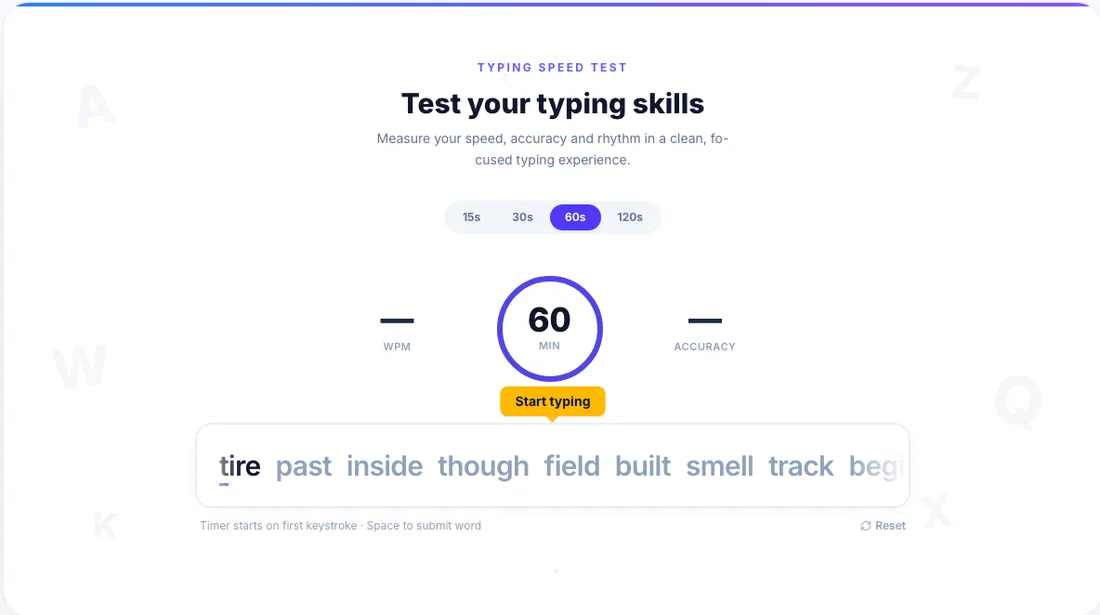 View largerReal workspace preview
A preview of the actual tool workspace
YOU’RE EXPLORING
The useful details, before you get started.
WPM = (correctly typed characters ÷ 5) ÷ elapsed minutes. Dividing by 5 normalises for average word length — the industry standard method.
The average adult types around 40 WPM. Office workers typically average 50–60 WPM. Professional typists and experienced programmers often reach 80–100 WPM. Touch typists who trained on a formal method frequently exceed 100 WPM.
Anything above 40 WPM is functional. 60–80 WPM is considered good for everyday use. 80–100 WPM is fast, and 100+ WPM is excellent. Speed matters less than accuracy — a lower WPM with 98%+ accuracy beats a high WPM with frequent errors.
Focus on accuracy first — speed follows naturally. Learn proper finger placement using all 10 fingers (touch typing). Practice daily in short sessions of 10–15 minutes rather than occasional long sessions. Use consistent practice tools to track your progress over time.
Accuracy = (total characters − errors) ÷ total characters × 100. Only submitted words (after pressing space) are counted.
Yes — backspace works freely within the current word. Once you press space to submit, that word is locked in.
15, 30, 60, and 120 seconds. Shorter tests measure burst speed; longer tests measure sustained speed and stamina.
No. The test runs entirely in your browser. No keystrokes or results leave your device.
Choose any question to see the details.