

 About

THE ANSWER
Passwords are generated using crypto.getRandomValues(), a cryptographically secure random number generator.
Your everyday toolkit
Developer ToolsGenerate strong, cryptographically secure random passwords. Control length and allowed character sets, then generate and copy a password.
Character Types
Generate a random password on your device using the selected character groups and length.
Choose at least 16 characters and enable the character groups accepted by the destination service. Store the result in a password manager and use a different password for each account.
Selected groups define the allowed alphabet, not a guarantee that every group appears. A strength label is a heuristic, not a security audit. Clear the clipboard after sensitive use.
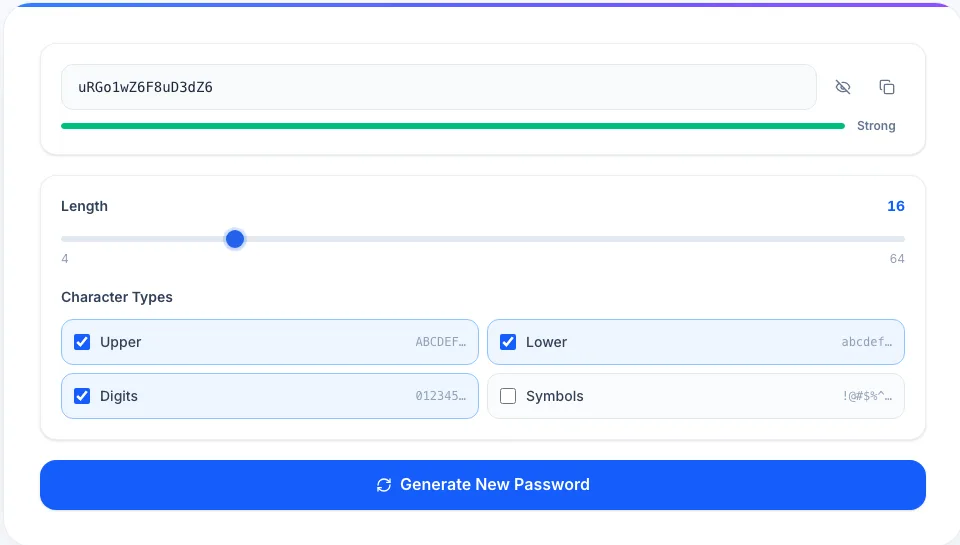 View largerReal workspace preview
A preview of the actual tool workspace
YOU’RE EXPLORING
The useful details, before you get started.
Passwords are generated using crypto.getRandomValues(), a cryptographically secure random number generator.
No. Generation happens entirely in your browser — nothing is sent to any server.
Choose any question to see the details.